How it works
Every hierarchy change follows one governed path: requested, validated, approved, deployed and logged. Here's what each step looks like on screen.
A 30-minute working session with a solutions engineer, on your own hierarchy. No slide deck.
1Request
Business users raise requests in a hierarchy or flat view that mirrors your reporting structure, across every connected application. One request covers every system that subscribes to the change.
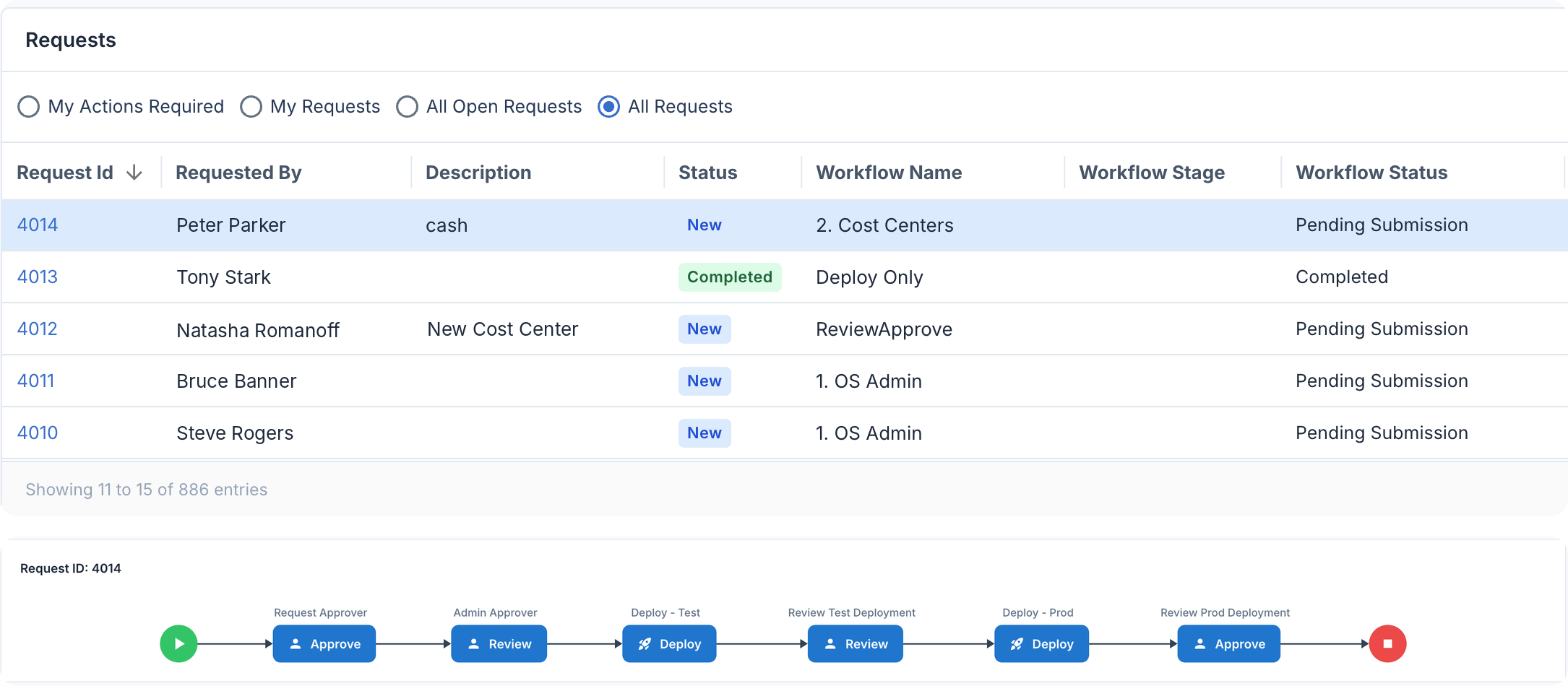
The request dashboard: every open change, who raised it and where it is.
2Validate
EPMware's validation engine checks every request against your rules in real time, so the right metadata lands in the right place and transactions don't fail at close.
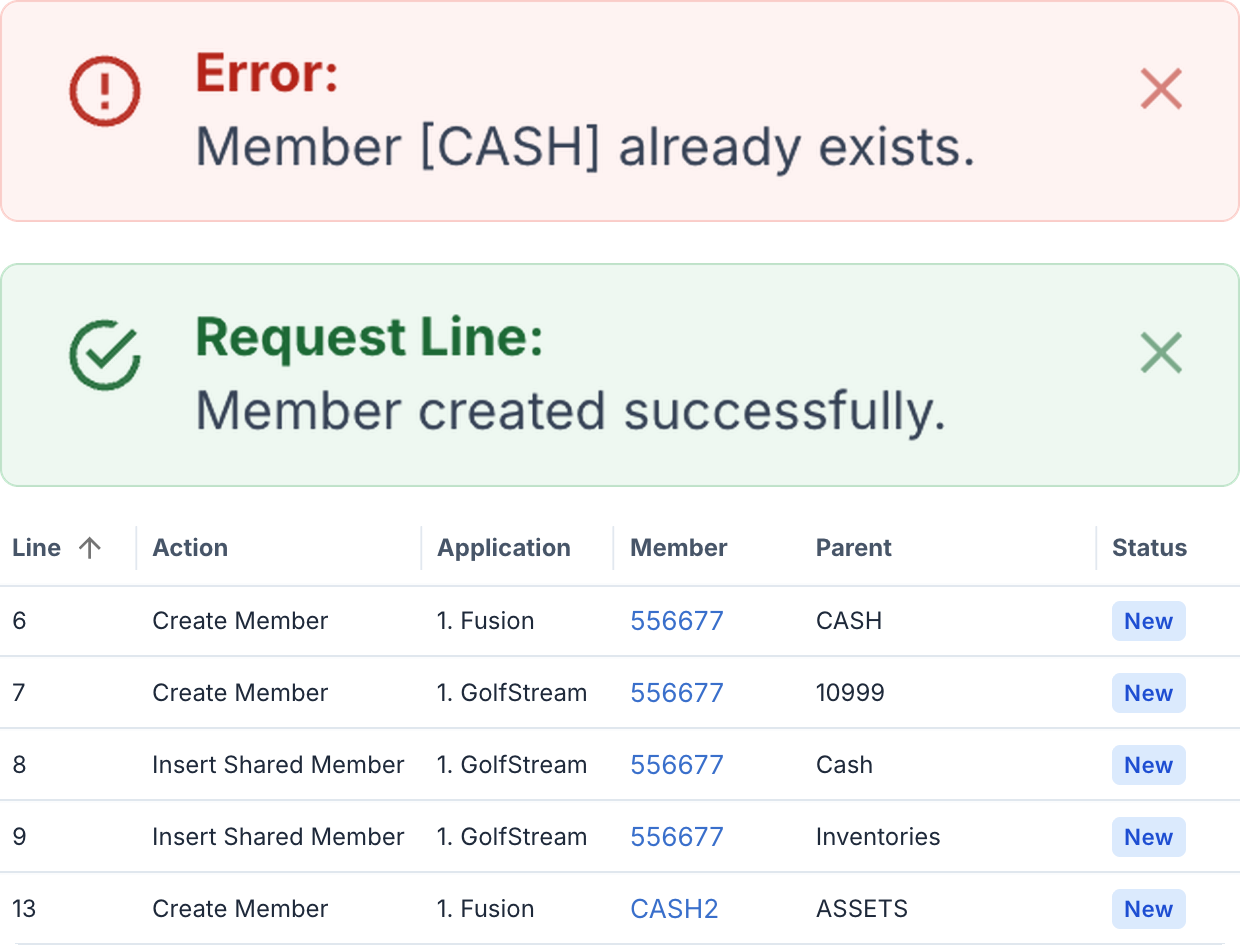
A duplicate member is caught while the request is being entered.
3Approve
Workflow Builder lets you layer in review and approval stages where you need them, instead of forcing one sequence on every change.
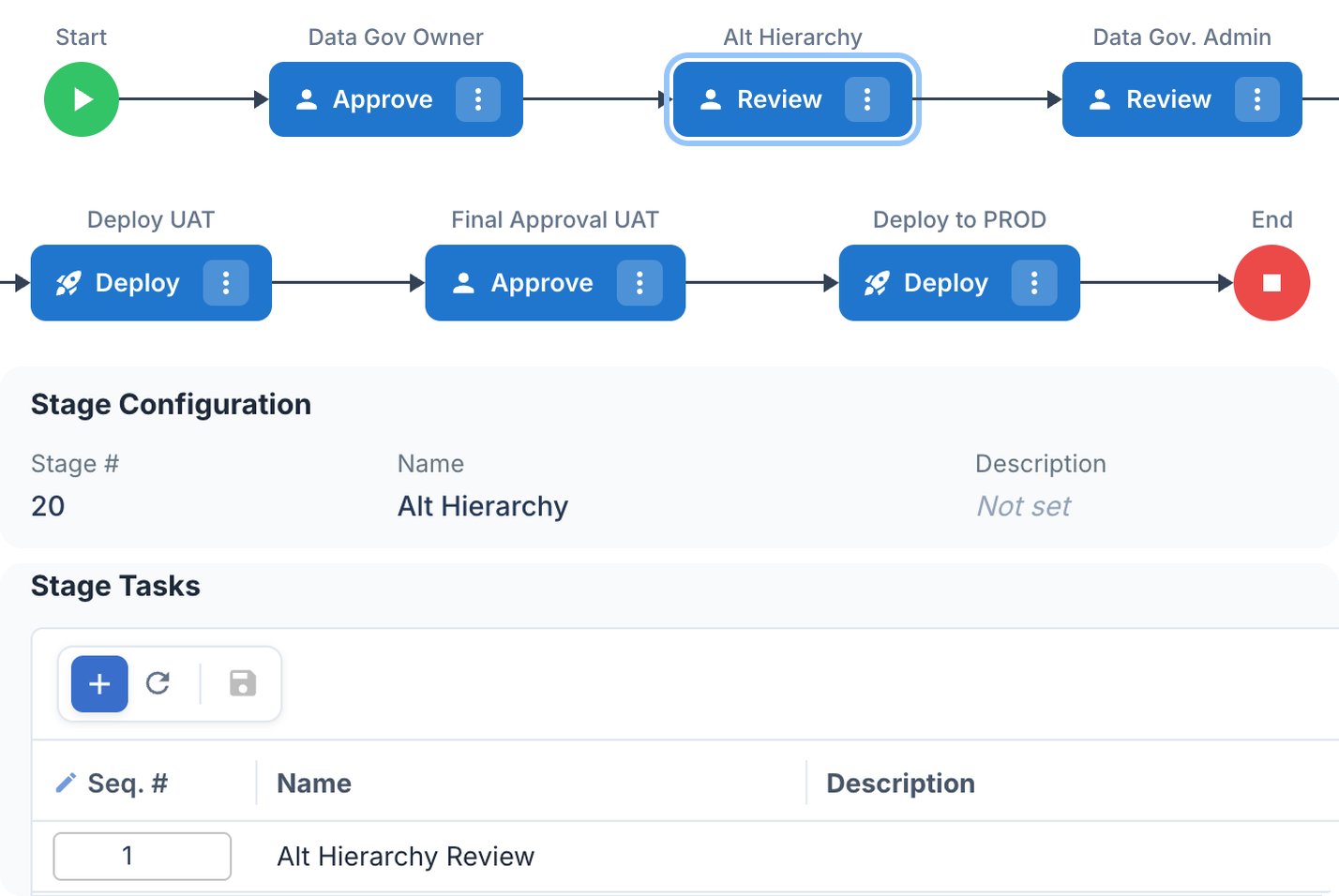
Review, approval and deployment stages in Workflow Builder.
4Deploy
EPMware deploys approved metadata through prebuilt adapters and promotes it through Development, UAT and PROD. You choose how each application receives it:
2 minutesTrane cut metadata deployments from days to about two minutes per application.
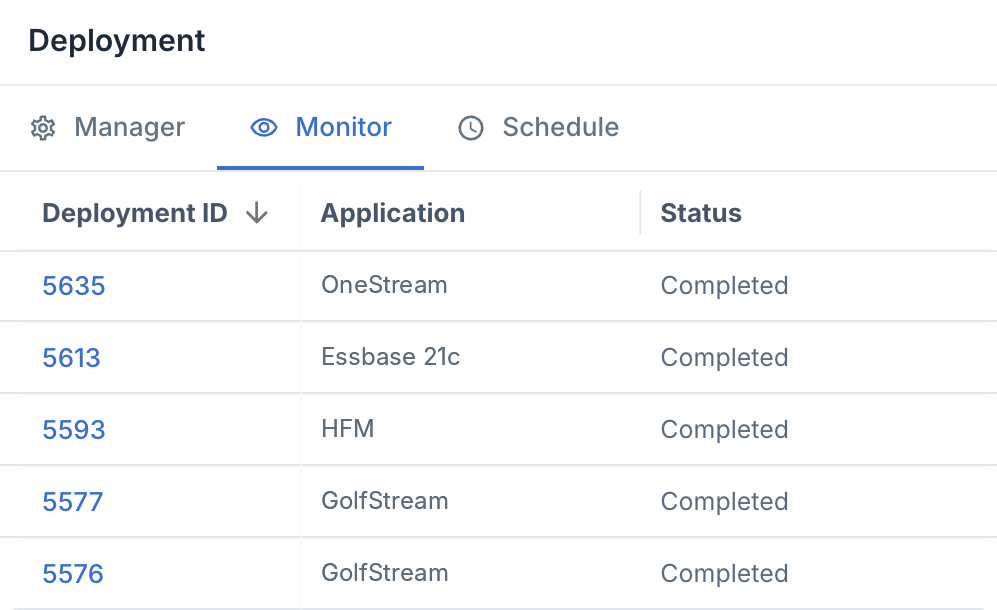
The Deployment Monitor: each target application and its status.
5Audit
Dashboards show where each request sits in its workflow, even as it moves through Development, UAT and PROD. Once it's deployed, the audit trail answers any question about it.
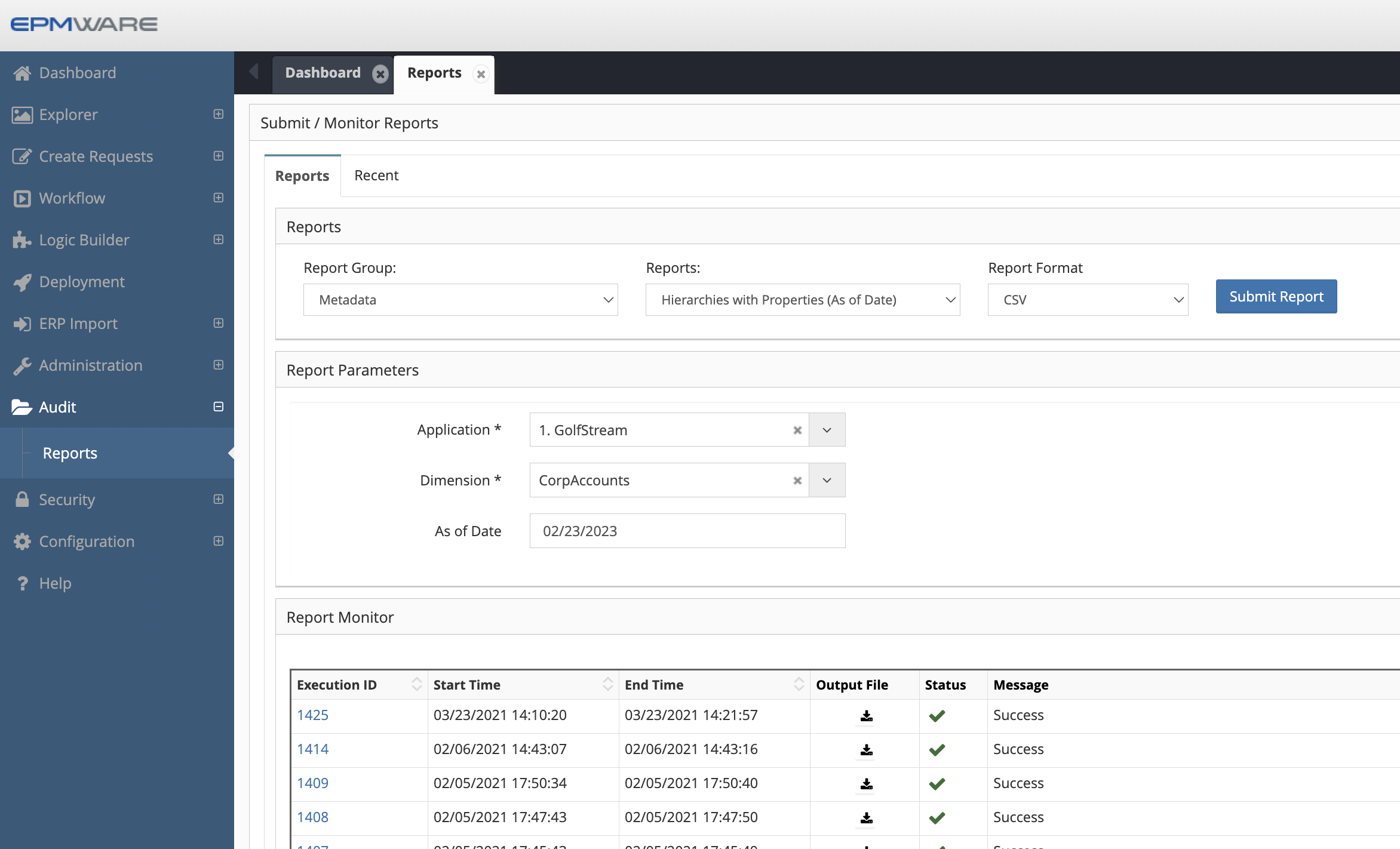
Audit reports, with the run history for each one.
Want to see these screens with your own data?Bring one messy hierarchy and we'll walk it through all five steps.
Schedule a DemoWho does what
Ownership moves with the request, from the person who needs the change to the people who approve, deploy and audit it.
Request changes in the hierarchy view and see their impact, without opening a ticket.
Enrich and approve requests at their stage of the workflow.
Configure workflows and adapters, and control deployments to Development, UAT and PROD.
Pull the full history of any change: what changed, the prior values, who approved it and when.
Where changes go
Prebuilt adapters for EPM, ERP and data platforms, in the cloud or on-premises. No adapter yet? A universal adapter handles flat files and data warehouses.









Results
Honda reduced creation-to-deploy time by 80% with governed metadata workflows.

Charter Communications keeps 25 applications in sync, all updated at the same scheduled time.

Atradius implemented EPMware in 20 days from kickoff through training.

FAQ
It depends on how many applications and dimensions you bring under governance. Atradius, for example, went from kickoff through training in 20 days.
Both. The same code base runs as a cloud service hosted on AWS or in your own data center.
Your administrators define the stages and approvers in Workflow Builder without writing code, and the prebuilt adapters are configured by business users rather than built as IT projects.
Yes. Every change is logged with its prior values, so it is auditable and reversible.
A universal adapter handles flat files and data warehouses, and changes can also be written to an interface table or sent on demand through a REST API call.
A 30-minute working session with a solutions engineer, on your own hierarchy. No slide deck.
Schedule a DemoRather talk first? Contact our team